Table of Contents (18 sections)
Integrating technology in the classroom has become increasingly vital for modern teaching. As educators, we face the challenge of enhancing student engagement and learning outcomes in our curriculum. By harnessing the power of technology, we can create dynamic learning environments that cater to diverse learning styles and improve overall educational experiences. In this tutorial, we will explore actionable strategies to effectively integrate technology into your teaching practices.
Understanding Technology in the Classroom
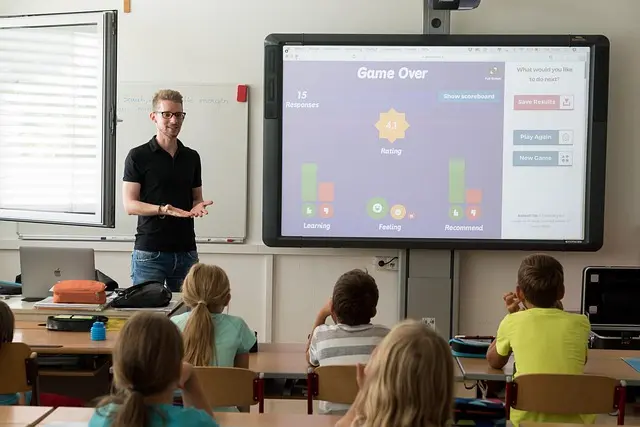
Technology encompasses a wide range of tools and platforms that can enhance educational experiences. From interactive whiteboards to learning management systems, technology can facilitate communication, collaboration, and personalization in education. The importance of integrating technology in the classroom includes:
- Engagement: Students are more engaged when learning through interactive, multimedia tools.
- Collaboration: Technology promotes group work and collaborative projects, fostering essential social skills.
- Personalized Learning: Adaptive learning software allows for personalized education tailored to each student’s needs, improving understanding and retention.
Data from a recent study indicates that classrooms utilizing technology report up to a 30% increase in student engagement levels (Source: Les Numériques). With these benefits in mind, let’s delve into practical strategies for integrating technology effectively.
Step-by-Step Guide to Integrating Technology
Here is a detailed procedure to help you successfully incorporate technology into your teaching practices:
Step 1: Assess Your Classroom Needs
Begin by evaluating your classroom’s unique needs. Consider factors such as:
- Student demographics and learning styles
- Subject matter and curriculum goals
- Available resources and technological tools
This assessment will guide your strategy by ensuring that the technology selected aligns with your educational objectives. For instance, if you teach a visually-oriented subject, investing in visual simulation software may yield better results.
Step 2: Select Appropriate Technology Tools
With the classroom needs clearly defined, it's time to select suitable technology tools. Consider:
- Interactive tools such as document cameras and smart boards.
- Digital platforms like Google Classroom or Microsoft Teams for assignment management.
- Educational apps that provide interactive learning opportunities.
Research suggests that integrating at least two types of technology in the classroom could enhance student performance significantly, as indicated by educational journals from UFC-Que Choisir.
Step 3: Train Staff and Students
Both educators and students should receive adequate training to effectively utilize the new tools. Conduct workshops or training sessions focusing on:
- The features of the new technology
- Best practices for effective integration
- Troubleshooting common issues
Training ensures that both educators and students feel confident using technology, minimizing disruption during lessons. Remember, effective integration is not just about using technology but understanding its application.
Step 4: Implement Technology Gradually
After training, it is wise to introduce technology gradually into your lessons. Start with a simple tool and increase complexity as comfort levels grow. For example:
- Begin with online quizzes to gauge understanding.
- Progress to collaborative projects using shared documents.
- Create multimedia presentations incorporating videos or animations.
This gradual implementation allows for a smoother transition and enables you to gauge effectiveness along the way.
Step 5: Gather Feedback and Adapt
Collect feedback from students regarding the tech integration process. Questions to consider include:
- How did the technology enhance your learning experience?
- What features did you find most engaging?
Feedback should inform adjustments to your strategy, enhancing both teaching and learning outcomes. Surveys or informal discussions can provide insightful data about students’ perceptions.
Step 6: Evaluate Outcomes
Finally, use quantitative and qualitative metrics to evaluate the impact of technology on learning outcomes. Consider:
- Student performance assessments before and after technology integration.
- Engagement metrics gathered through classroom observations.
- Feedback from student focus groups regarding their learning experiences.
Tracking progress will not only illustrate the effectiveness of the technology used but also highlight potential areas for further improvement.

PLAUD Inc. Plaud Note AI Voice Recorder, Voice Recorder w/Case, App Control, Transcribe & Summarize with AI Technology, Support 112 Languages, 64GB
plaud.ai
Samsung Laundry Dryer with AI Control and Heat Pump Technology in White(DV25FG62B0BEA2)
samsung.com

BISSELL CleanView with OnePass Technology Plus Upright Bagless Vacuum Sienna 3583
bissell.com
Comparative Analysis of Technology in Education
| Technology Type | Benefits | Challenges | Taken Steps |
|---|---|---|---|
| Learning Management Systems | Easy access to resources | Initial learning curve | Implemented gradual training |
| Interactive Whiteboards | Enhances engagement | May require additional devices | Started with basic usage |
| Collaborative Software | Promotes teamwork and communication | Can be distracting if misused | Enforced guidelines for usage |
| Educational Apps | Customizable learning experiences | Device compatibility issues | Evaluated options before selection |
FAQs
What types of technology can be used in the classroom?
You can use various technologies, including interactive whiteboards, learning management systems, video conferencing tools, and online educational resources.
How can technology improve student engagement?
Technology improves engagement by providing interactive and multimedia learning experiences that make lessons more appealing and relevant to students.
What are some common challenges in integrating technology?
Common challenges include lack of training, resistance to change from staff or students, and technological issues like device compatibility or internet connectivity.
How can I measure the effectiveness of technology in my classroom?
Monitor student performance, engagement, and feedback to evaluate how technology affects learning outcomes. This can be done through assessments and surveys.
Checklist before Implementing Technology
- [ ] Assess classroom needs
- [ ] Select appropriate technology tools
- [ ] Conduct staff and student training
- [ ] Implement technology gradually
- [ ] Gather student feedback
- [ ] Evaluate learning outcomes
Glossary
| Term | Definition |
|---|---|
| Learning Management Systems | Online platforms facilitating course delivery and assessment. |
| Interactive Whiteboard | A digital board allowing interaction through touch and projection. |
| Collaborative Software | Tools enabling group work and sharing of resources online. |

Milwaukee Leather 7.4V Men's True All Seasons Leather Jacket with Heated and Cool Technology
thewarmingstore.com


📺 Resource Video
> 📺 For further learning: Explore effective strategies for integrating technology in the classroom, search for: how to effectively integrate technology in the classroom 2026.
In conclusion, leveraging technology in the classroom is not just an option but a necessity in today's digital age. By following these strategic steps, educators can enhance engagement and learning outcomes dramatically. Embrace the potential technology brings to education, and witness transformative changes in your teaching journey.
Visit our recommended products below to find tools that can support your journey into technology integration.
📺 Pour aller plus loin : how to effectively integrate technology in the classroom 2026 sur YouTube
Recommended products
Selected by our experts

Samsung Front Load Washer & Dryer Set with Vibration Reduction Technology+ and Sensor Dry in White(BNDL-1603912197302)
samsung.com

Clinique Redness Solutions Makeup Broad Spectrum SPF 15 With Probiotic Technology, Calming Honey - 1 fl. oz./30 ml
clinique.com
Nonin Medical NoninConnect™ Finger Pulse Oximeter with Bluetooth® Smart Wireless Technology
concordhealthsupply.com
Nonin Medical NoninConnect™ Finger Pulse Oximeter with Bluetooth® Smart Wireless Technology
concordhealthsupply.com

Plaud NotePin AI Voice Recorder, Voice Recorder with Neck Strap Lanyard, Transcribe & Summarize with AI Technology, 64GB Memory
plaud.ai